> ## Documentation Index
> Fetch the complete documentation index at: https://docs.firstwork.com/llms.txt
> Use this file to discover all available pages before exploring further.
# Preset Options
> Manage reusable dropdown and selection options shared across forms
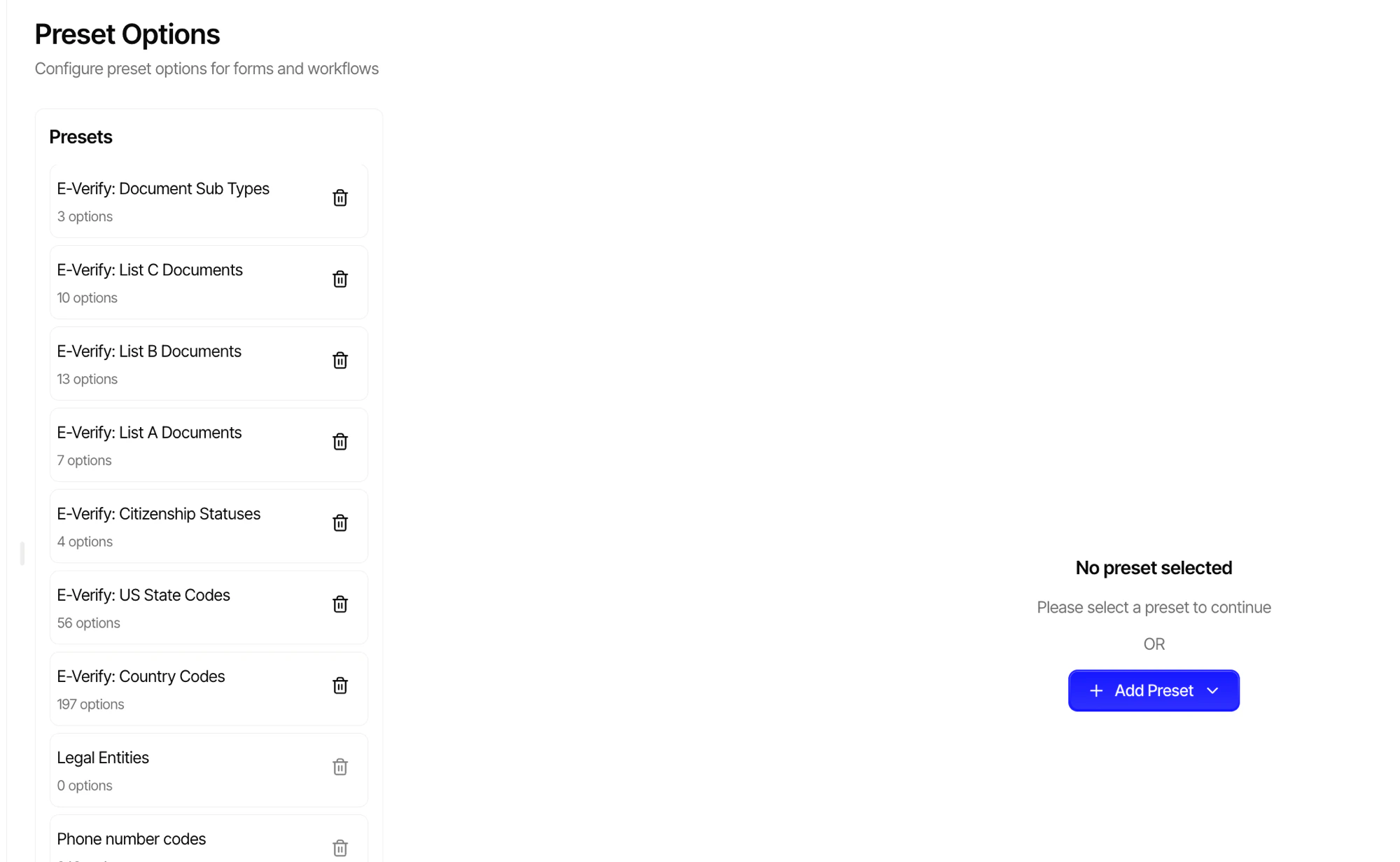
Preset options are reusable lists of choices that can be referenced by selection questions across multiple forms. Instead of defining the same options repeatedly, create a preset once and use it anywhere.
## Creating a Preset
Navigate to [Settings > Preset Options](https://app.firstwork.com/admin/settings/preset-options) to create and manage your presets.
 ### Examples
| Preset | Options |
| ----------------- | --------------------------------------------- |
| **Departments** | Engineering, Marketing, Sales, Operations, HR |
| **Locations** | New York, London, Toronto, Sydney |
| **Shift Types** | Morning, Afternoon, Night, Flexible |
| **T-Shirt Sizes** | XS, S, M, L, XL, XXL |
When you update a preset, the change is reflected in every form that uses it.
***
## Using Presets in Selection Questions
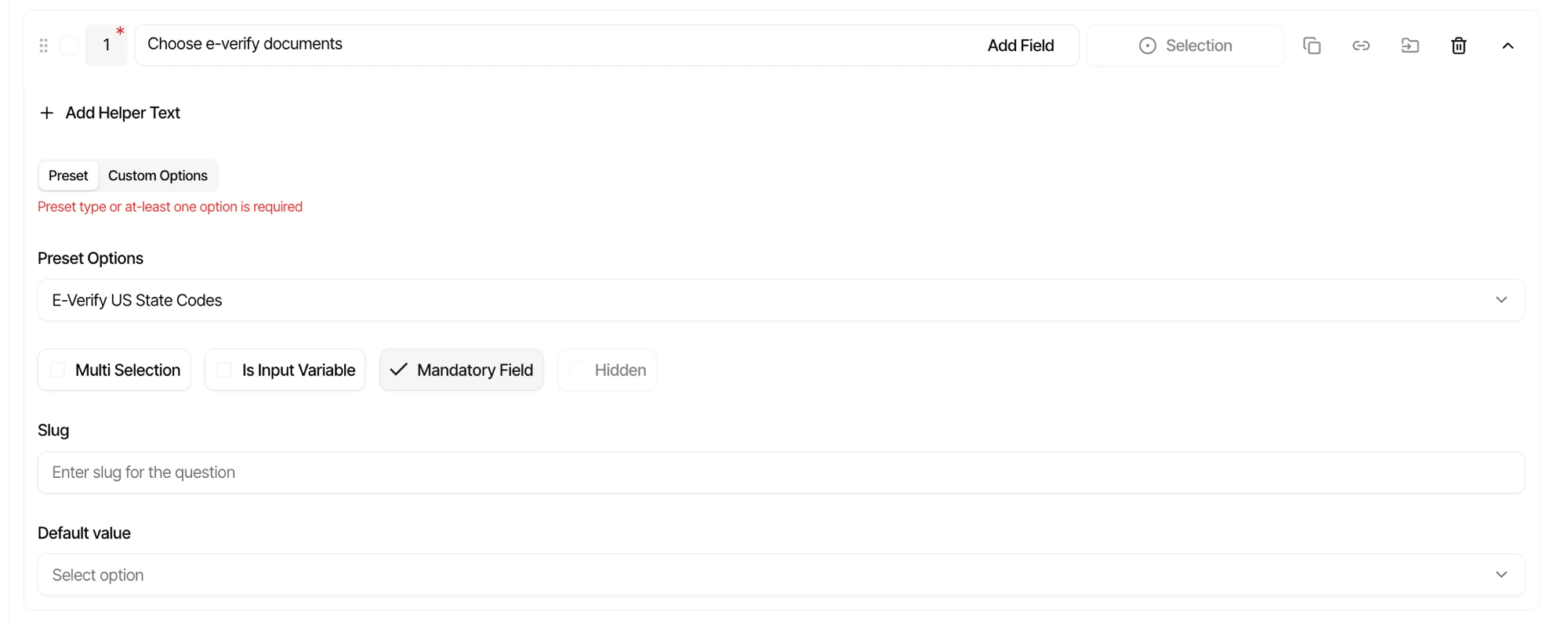
Presets can be linked to any selection question in the form builder. Instead of manually entering options for each question, select a preset from the dropdown to populate the choices automatically.
### Examples
| Preset | Options |
| ----------------- | --------------------------------------------- |
| **Departments** | Engineering, Marketing, Sales, Operations, HR |
| **Locations** | New York, London, Toronto, Sydney |
| **Shift Types** | Morning, Afternoon, Night, Flexible |
| **T-Shirt Sizes** | XS, S, M, L, XL, XXL |
When you update a preset, the change is reflected in every form that uses it.
***
## Using Presets in Selection Questions
Presets can be linked to any selection question in the form builder. Instead of manually entering options for each question, select a preset from the dropdown to populate the choices automatically.