Documentation Index

Fetch the complete documentation index at: https://docs.firstwork.com/llms.txt

Use this file to discover all available pages before exploring further.

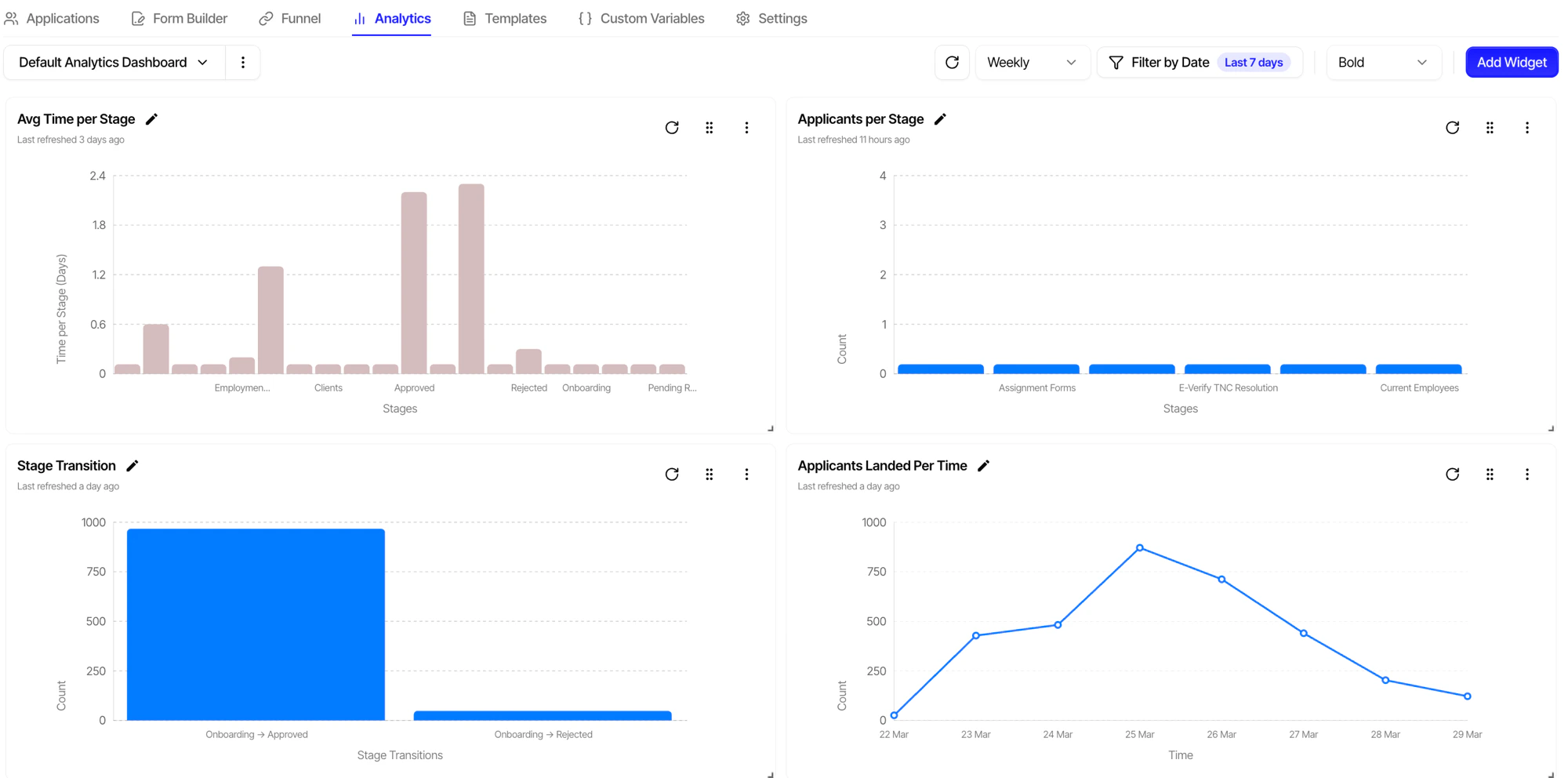
The Analytics module provides customizable dashboards and charts for monitoring your hiring pipeline, workforce metrics, and operational KPIs in real time.
Analytics dashboard showing average time per stage, applicants per stage, stage transitions, and applicants over time

Dashboards

A dashboard is a collection of widgets arranged to visualize your key metrics:
FeatureDescription
Custom LayoutDrag-and-drop widget arrangement
Multiple DashboardsCreate dashboards for different teams and purposes
SharingShare dashboards across your organization
Auto-RefreshReal-time data updates
Default DashboardSystem-generated dashboard with key metrics

Chart Types

Chart TypeUse Case
Bar ChartCompare values across categories (applications per stage)
Line ChartTrack trends over time (applications per week)
Pie ChartShow distribution (application sources)
Number/KPISingle metric display (total applications today)
TableDetailed data view (candidate list)
CSV ChartCharts from imported CSV data

Widget Groups

Widget groups organize related widgets:
  • Group by hiring flow, stage, or department
  • Collapsible sections for organized dashboards
  • Shared filters across grouped widgets

Stage Groups

Stage groups enable cross-flow analytics by categorizing stages across multiple hiring flows:
Stage Group: "Screening"
├── Hiring Flow A → Stage: "Initial Review"
├── Hiring Flow B → Stage: "Phone Screen"
└── Hiring Flow C → Stage: "Application Review"
This allows you to track metrics like:
  • Total candidates in “Screening” across all flows
  • Average time in “Interview” stages
  • Drop-off rates at “Background Check” stages

Default Dashboard

Firstwork automatically generates a default dashboard with essential metrics:

Pipeline Overview

Candidate count per stage across active hiring flows.

Application Trends

Weekly/monthly application volume with trend indicators.

Conversion Funnel

Stage-to-stage conversion rates for each hiring flow.

Active Workforce

Current contract count by status and entity.