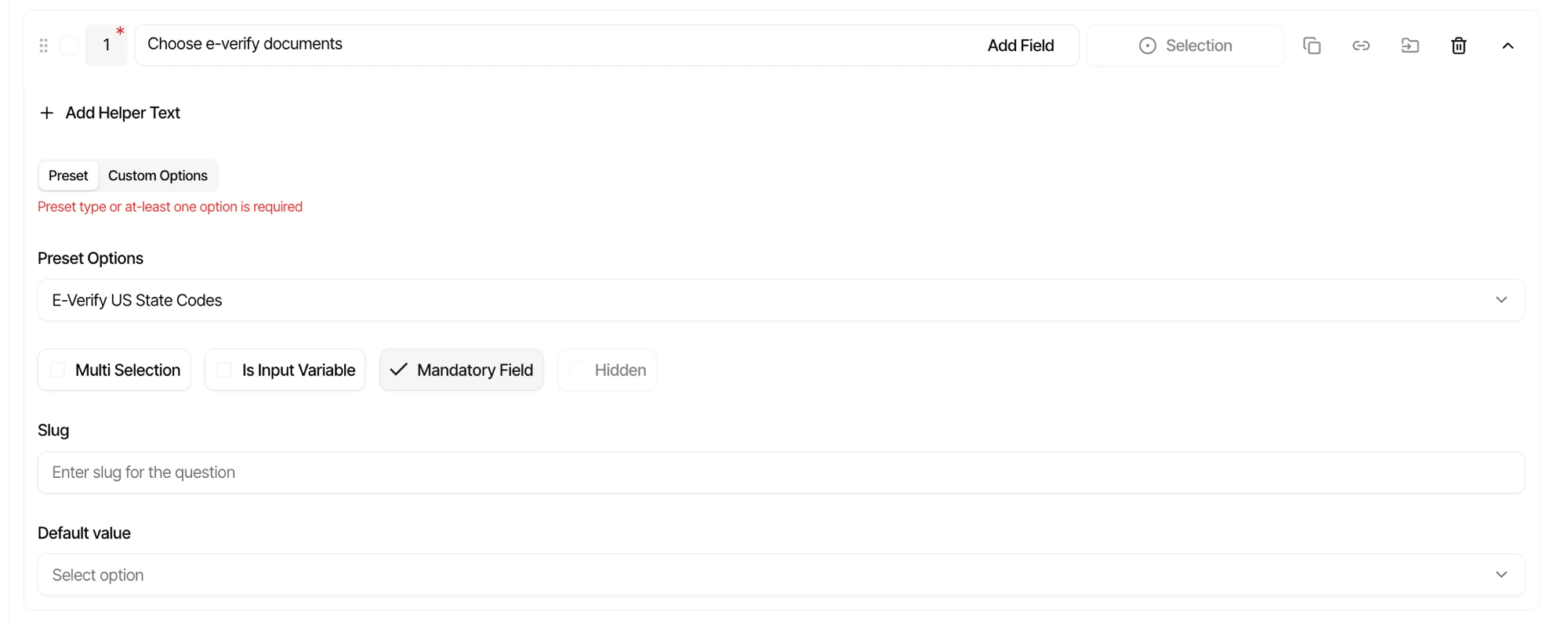
Preset options are reusable lists of choices that can be referenced by selection questions across multiple forms. Instead of defining the same options repeatedly, create a preset once and use it anywhere.Documentation Index
Fetch the complete documentation index at: https://docs.firstwork.com/llms.txt
Use this file to discover all available pages before exploring further.
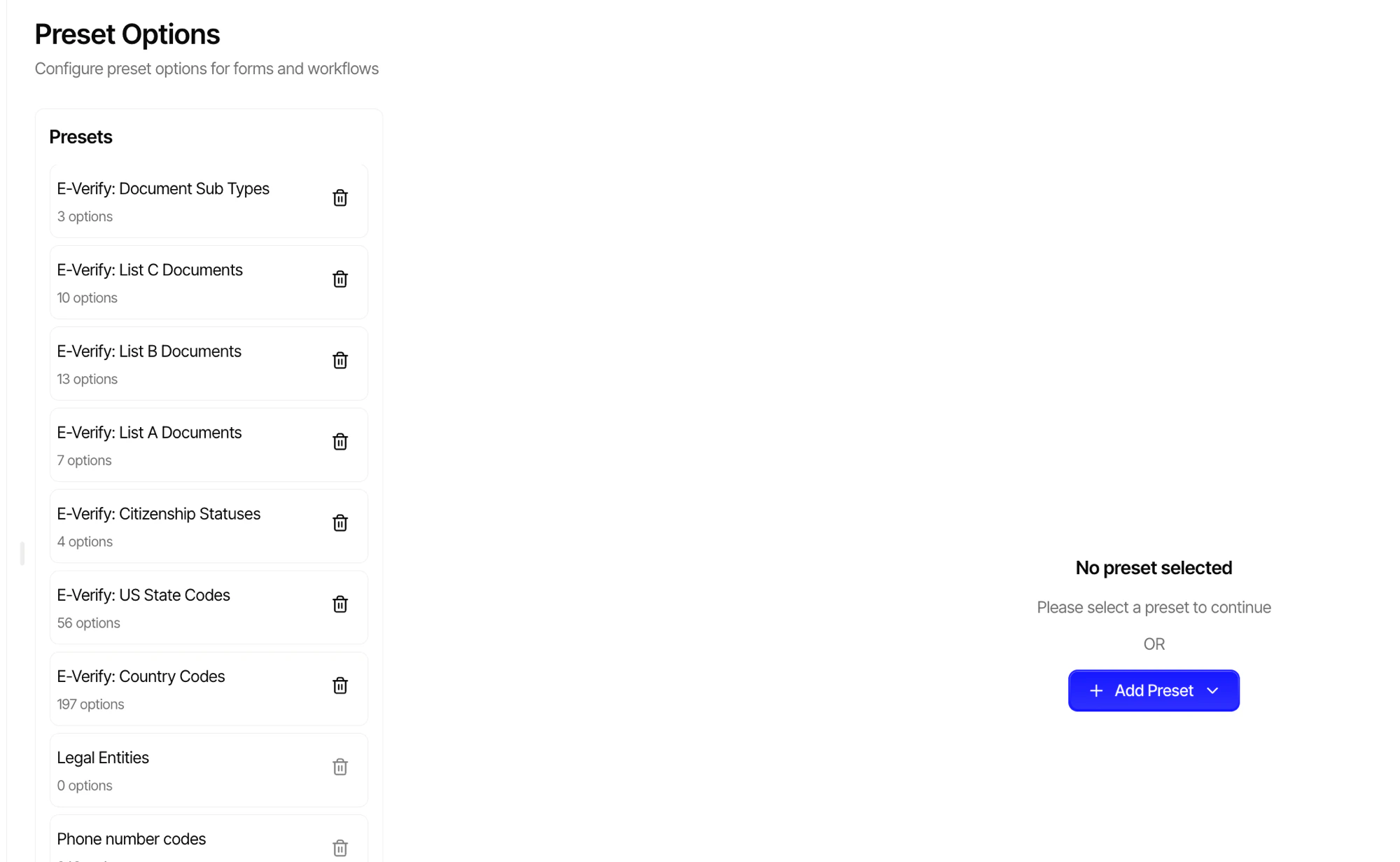
Creating a Preset
Navigate to Settings > Preset Options to create and manage your presets.
Examples
| Preset | Options |
|---|---|
| Departments | Engineering, Marketing, Sales, Operations, HR |
| Locations | New York, London, Toronto, Sydney |
| Shift Types | Morning, Afternoon, Night, Flexible |
| T-Shirt Sizes | XS, S, M, L, XL, XXL |
Using Presets in Selection Questions
Presets can be linked to any selection question in the form builder. Instead of manually entering options for each question, select a preset from the dropdown to populate the choices automatically.